#102051Environment -> Image Processing instantly closes after opening on cold browser caches
Stefan Bürk 09/27/23, 13:49 updated 10/08/24, 13:09

Description
If I reload the backend clearing the browser cache / avoiding that resouces
and JS are used from cache and click on “Enviorenment -> Image Processing“
the modal opens, and nearly instantly (~1 sec) closes – leaving a buttom html
markup displayed in the JS console of the browser. The second click opens the
modal normally – and every click after that.
Found in main, not tested yet in v12 or earlier.
One note – I start my chrome with:
/usr/bin/google-chrome-stable %U --force-dark-mode --force-prefers-reduced-motion
Edit
- Environment -> PHP Info same effect
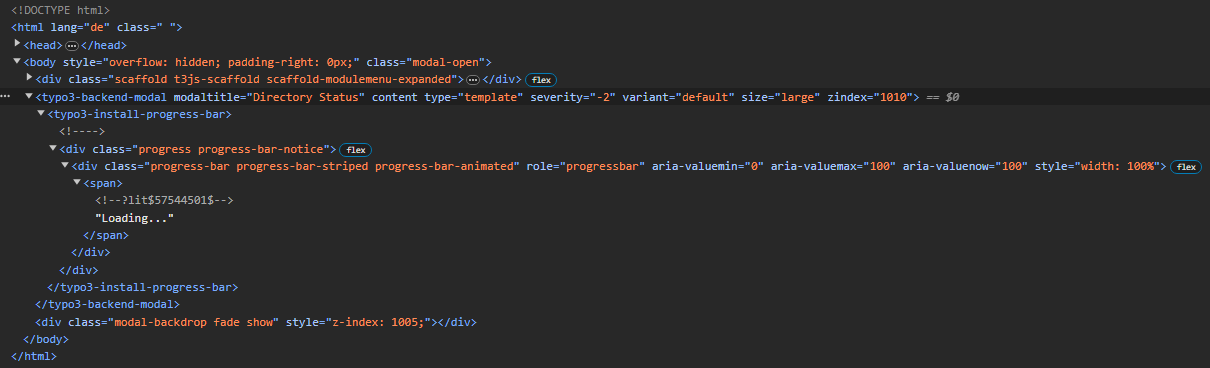
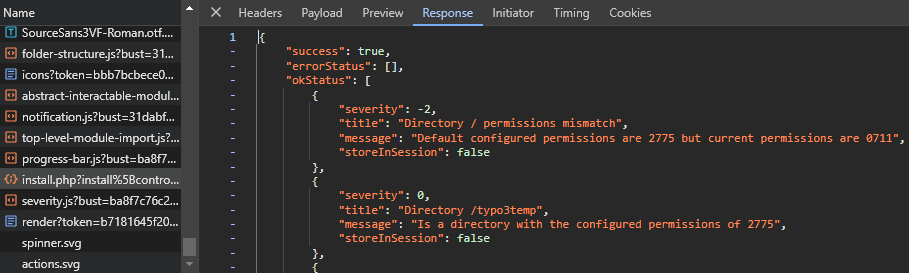
- Environment -> Directory Status (no modal opened, only backdrop shadow) leaving backend broken
Reviews 0
No change resolves or names this issue in its commit message, and no comment links one.
Files 4

History 8
-
Stefan Bürk changed description 09/27/23, 13:50
-
Stefan Bürk changed description 09/27/23, 13:53
-
Benjamin Franzke commented and changed status
NewNeeds Feedback 09/30/23, 11:40 -
Wittkiel Gruppe commented and changed attached typo3-environment-directory-status-html.png attached typo3-environment-directory-status-response.png attached typo3-environment-status.png 02/01/24, 08:27
> * Environment -> Directory Status (no modal opened, only backdrop shadow) leaving backend broken
Same problem with “Directory Status” for us with TYPO3 13.0.0 and current Chrome + Firefox, no error in console.
typo3-environment-directory-status-html.png
typo3-environment-directory-status-response.png
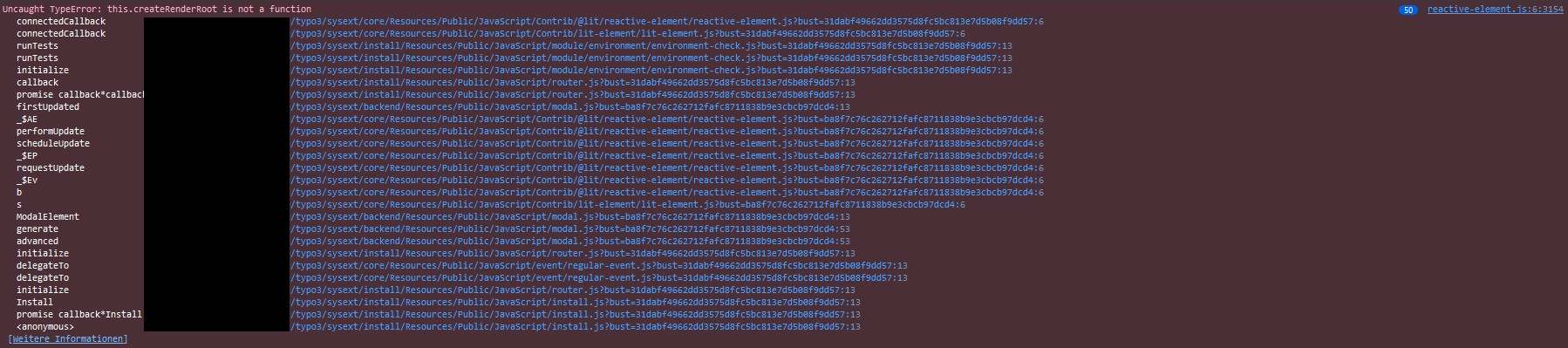
Additionally in Firefox modal of “Environment Status” is open but empty probably because of an js-error, in Chrome it works.
typo3-environment-status.png -
Riccardo De Contardi changed status
Needs FeedbackNew 02/03/24, 10:43 -
Andreas Kienast commented and changed status
NewNeeds Feedback 10/07/24, 14:32Is this still an issue in 13.3? I cannot reproduce this.
-
Wittkiel Gruppe commented 10/08/24, 06:38
Andreas Kienast wrote in #note-6:
> Is this still an issue in 13.3? I cannot reproduce this.Since 13.1 we don’t have any problems like described before. Perhaps fixed with #103048 / #101224?!
-
Benjamin Franzke commented and changed status
Needs FeedbackRejected 10/08/24, 13:09I’m closing this one since the issue mentioned by “Wittkiel Gruppe” had another cause (web components in cross-frame contexts) and the original issue was triggered by a browser extension which we can’t workaround.


There is a “logic.js” file mentioned in the screenshot that outputs “Found pop up – standard way”.
We don’t have a file with that name nor such message.
I suspect this is a browser extension.
Can you see what opens, when you click on “logic.js” and check if the same behavior happens in inkognito mode?