#104229site languages in overview not in line
Georg Ringer 06/27/24, 09:12 updated 07/04/24, 19:46

Description
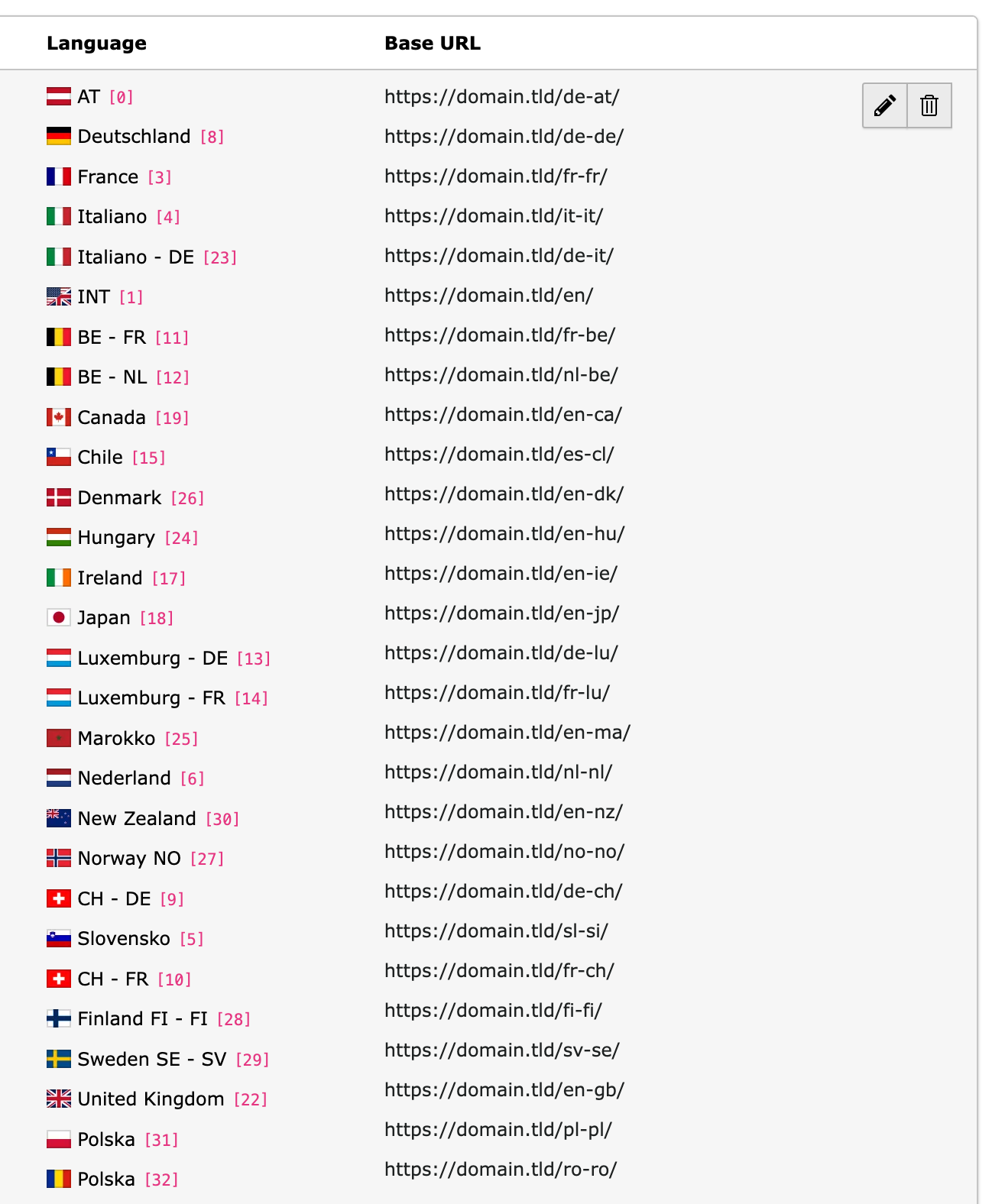
If there are many site languages, the language and domains are not in line anymore. the reason is that language id using a code-tag and this is too big
Bildschirmfoto%202024-06-27%20um%2011.08.08.png
Reviews 0
No change resolves or names this issue in its commit message, and no comment links one.
Files 1
History 5
-
Jasmina Ließmann commented and changed status
AcceptedNeeds Feedback 06/27/24, 14:10 -
Georg Ringer commented 06/27/24, 15:21
chrome (126.0.6478.127) on mac, firefox looks good
-
Benni Mack commented 06/28/24, 15:57
This is fixed in v13. IMHO.
-
Riccardo De Contardi commented 07/04/24, 10:58
I am guessing that this issue depends on the hardware in use and not on the browser itself.
On TYPO3 12 on windows using my laptop I have seen that:
- each line (
<div>) in the cell under the column “Language” has a calculated height of 18.42px
- each line in the cell under the “Base URL” has a calculated height of 18pxtherefore the misalignment which becomes noticeable starting from 4-5 items.
But I have seen this difference only on the main screen of the laptop ; moving the window on an external monitor with a higher resolution the calculated height of both is always 18px!
I assume that this difference depends on the screen resolution settings: the main screen of the laptop is scaled at 150% (Windows default). I tried switching the scaling to 100% to use the “natural” 1920×1080 resolution and the issue is gone (18px on both columns).
I have not tested it on version 13 but from a brief look at the HTML table code I don’t think there will be difference between TYPO3 12 and 13.
[UPDATE]
I’ve performed a rough test but I’ve seen that using
display:flexon the divs under the “Language” column seems to help
So something like:<div class="d-flex align-items-center mb-2">... </div>
(Note: the last div has no mb-2 class (to adjust the margin))
-
Georg Ringer commented and changed status
Needs FeedbackClosed 07/04/24, 19:46yeah a lot better in v13, closing it


I tested on Windows with the latest Chrome and Firefox and unfortunately could not reproduce the reported behavior. With which operating system and browser does the problem occur?