#105452Installation from scratch through TYPO3 CLI fails with uncaught TYPO3 exception
Michael Schams 10/24/24, 21:19 updated 12/10/24, 21:16

Description
TYPO3 v11: Fresh installation into a new directory fails:
Uncaught TYPO3 Exception Too few arguments to function
TYPO3\CMS\Core\DataHandling\SoftReference\SoftReferenceParserFactory::__construct(), 0 passed
in /var/www/sites/typo3v11/public/typo3/sysext/core/Classes/Utility/GeneralUtility.php on line 3215 and exactly 2 expected.
How to reproduce:
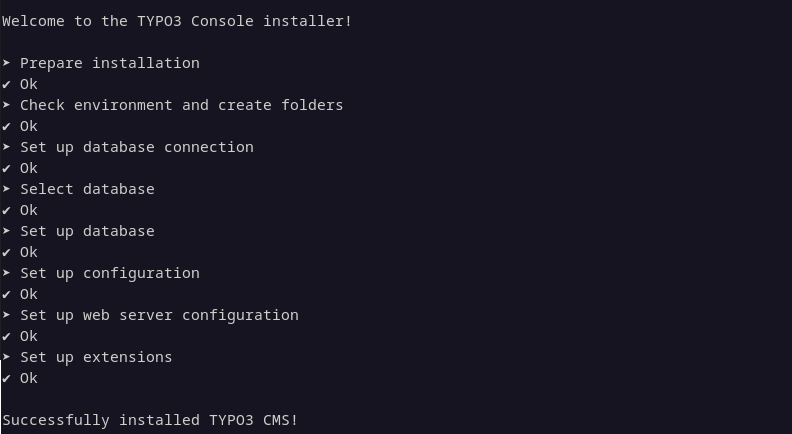
typo3v11-cli-install.png
Reviews 0
No change resolves or names this issue in its commit message, and no comment links one.
Files 2

History 5
-
Garvin Hicking commented and changed status
NewNeeds Feedback <span data-processor="relativetime" data-value="2024-10-24T21:34:32+00:00" > 10/24/24, 21:34 </span> -
Michael Schams commented and changed attached issue-105452.png <span data-processor="relativetime" data-value="2024-10-24T22:23:06+00:00" > 10/24/24, 22:23 </span>
I always assumed that it’s the other way round: the
typo3cmsbinary is Helmut’s TYPO3 Console extension, and thetypo3binary is the TYPO3 Core.Anyway, running the installer using
typo3cmsseems to work:./vendor/bin/typo3cms --no-ansi --no-interaction install:setup
-
Benni Mack commented <span data-processor="relativetime" data-value="2024-12-10T13:23:42+00:00" > 12/10/24, 13:23 </span>
Hey michael,
please try again with v13 pls.
-
Michael Schams commented <span data-processor="relativetime" data-value="2024-12-10T21:16:32+00:00" > 12/10/24, 21:16 </span>
The issue only occurs with TYPO3 v11. Given that v11 is now out of support, I suggest to close this ticket.
-
Benni Mack commented and changed status
Needs FeedbackClosed <span data-processor="relativetime" data-value="2024-12-10T21:16:56+00:00" > 12/10/24, 21:16 </span>thanks. done


I believe this is more an issue of helhum/typo3-console, the command you’re using. On TYPO3 v11, the “typo3cms” is the core binary, there you would use “typo3cms install:setup”. Does this work for you?