#86687Translated record duplicated when copied (multi-selection mode)
Philipp Seiler 10/18/18, 18:04 updated 11/09/26, 17:14

Description
When I use the multi-selection mode of the clipboard with a record (sys_language_uid = 0) and its translation selected, then translated records will show up multiple times in the clipboard. This problem does not occur, when the single record mode or the copy button next to the record in the list is used.
When inserting the copied records into a new sysfolder (multi-selection mode), duplicates of the translations will be created.
Problem seems to be in \TYPO3\CMS\Backend\Clipboard\Clipboard->getContentFromTab(), where for every record an entry in the clipboard is made. First the root-item will be added. This will also add the translated record to the clipboard via $this->getLocalizations($table, $rec). After that, the translated record from the multi-selection mode is added again, leading to duplicates.
Reviews 0
No change resolves or names this issue in its commit message, and no comment links one.
Fix this issue
Start the commit message of your patch with this. Add what the patch does, and the versions it goes to in "Releases:". How to create a patch
- Commit message
-
[BUGFIX] Translated record duplicated when copied (multi-selection mode)

Resolves: #86687
Releases: main
Related issues 1

Files 11
- clipboard01.png 21 KB Using the copy-button next to a news record. Philipp Seiler
- clipboard02.png 13 KB Inserting the copied news into a new sysfolder. Philipp Seiler
- clipboard03.png 21 KB Everything OK, no duplicates in news DB table. Philipp Seiler
- clipboard04.png 21 KB Using the multi-selection mode (root and translated record selected) to transfer items to the clipboard. A duplicate appears. Philipp Seiler
- clipboard05.png 14 KB Again inserting the copied news into a new sysfolder. Philipp Seiler
- clipboard06.png 17 KB Looks fine, but a duplicate record of the translation can be found in the news DB table. Philipp Seiler
- Cattura1.png 150 KB Riccardo De Contardi
- Cattura2.png 56 KB Riccardo De Contardi
- Cattura3.png 88 KB Riccardo De Contardi
- Cattura4.png 162 KB Riccardo De Contardi
- Cattura5.png 182 KB Riccardo De Contardi


History 9
-
Philipp Seiler changed description <span data-processor="relativetime" data-value="2018-10-19T09:02:06+00:00" > 10/19/18, 09:02 </span>
-
Philipp Seiler changed priority
Should haveMust have <span data-processor="relativetime" data-value="2018-11-06T13:40:16+00:00" > 11/06/18, 13:40 </span> -
Alexander Vogt commented <span data-processor="relativetime" data-value="2019-07-24T11:48:33+00:00" > 07/24/19, 11:48 </span>
-
Philipp Seiler changed description <span data-processor="relativetime" data-value="2019-07-24T13:28:50+00:00" > 07/24/19, 13:28 </span>
-
Christian Eßl changed Related to #90676 <span data-processor="relativetime" data-value="2020-03-07T19:58:15+00:00" > 03/07/20, 19:58 </span>
-
Riccardo De Contardi commented and changed attached Cattura1.png attached Cattura2.png attached Cattura3.png attached Cattura4.png attached Cattura5.png <span data-processor="relativetime" data-value="2024-06-30T19:55:04+00:00" > 06/30/24, 19:55 </span>
Is this issue still valid?
I tried the following test on TYPO3 12.4.16 with EXT:news 11.4.2:
Prerequisites
1) TYPO3 installation with two languages: Italian (default, uid=0) and English (Uid=1)
2) A “News” Sysfolder translated in English
3) A News Item, translated in english
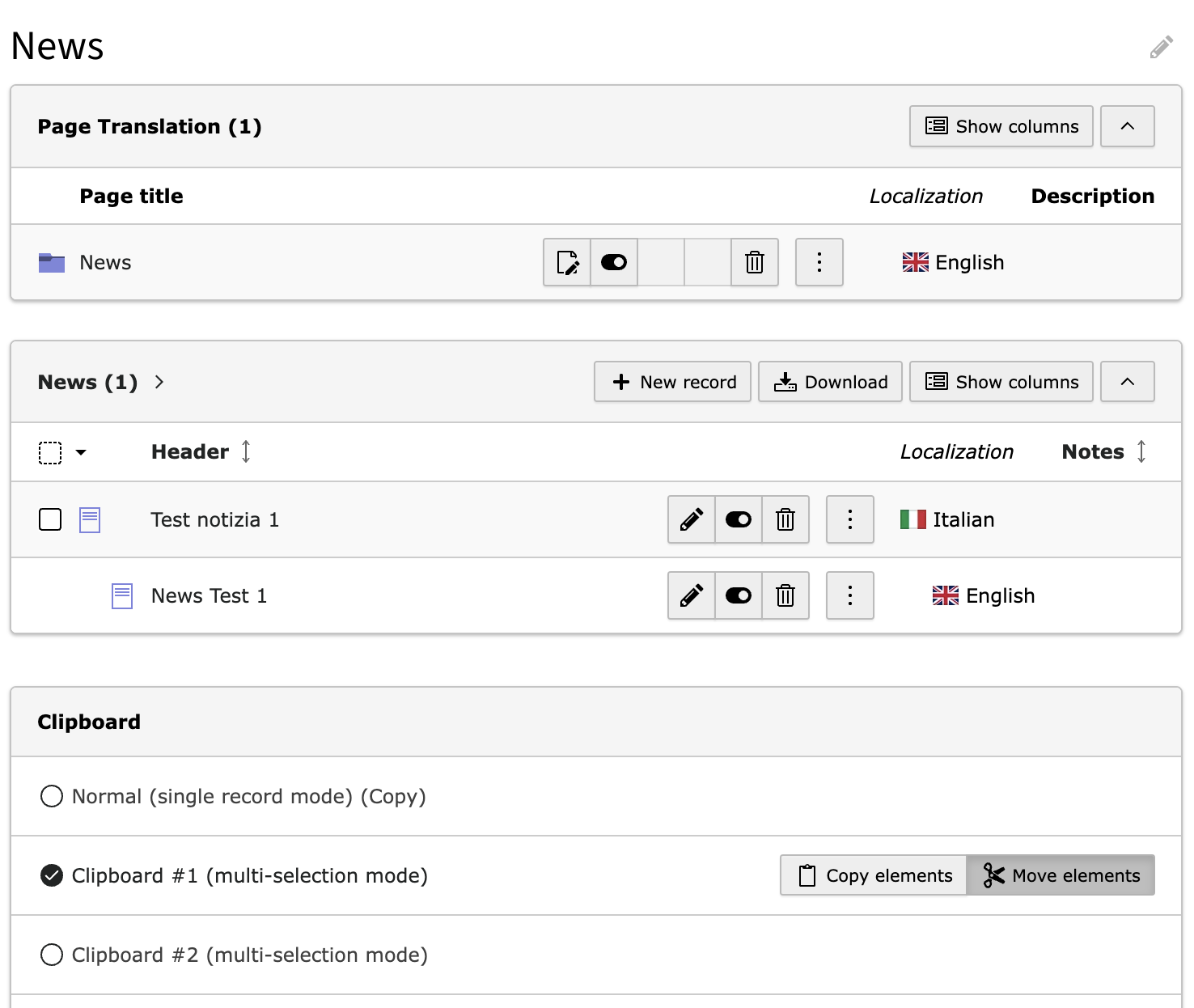
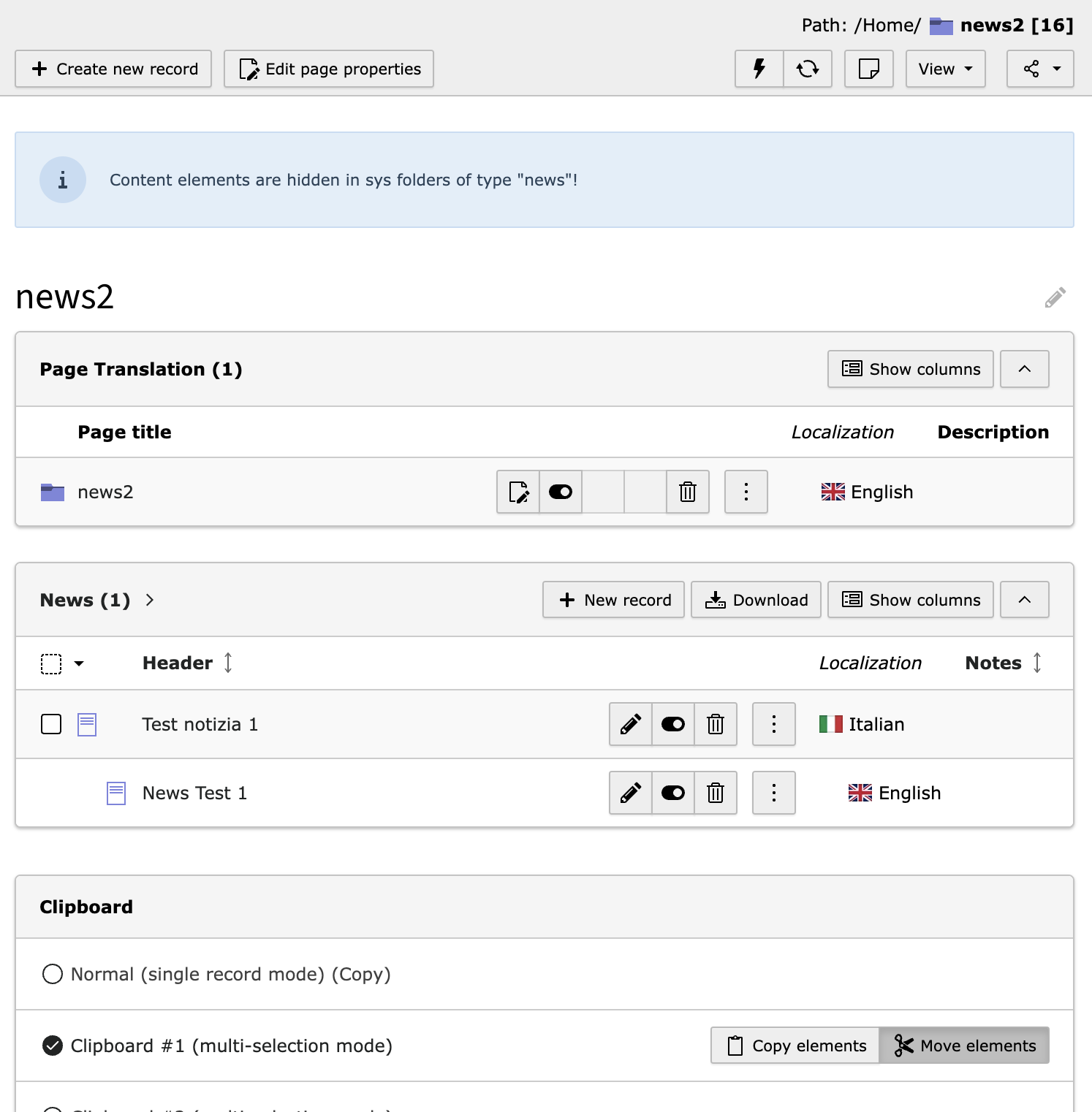
4) A “News2” Folder, translated in Englishas per the following screnshot:
Test procedure
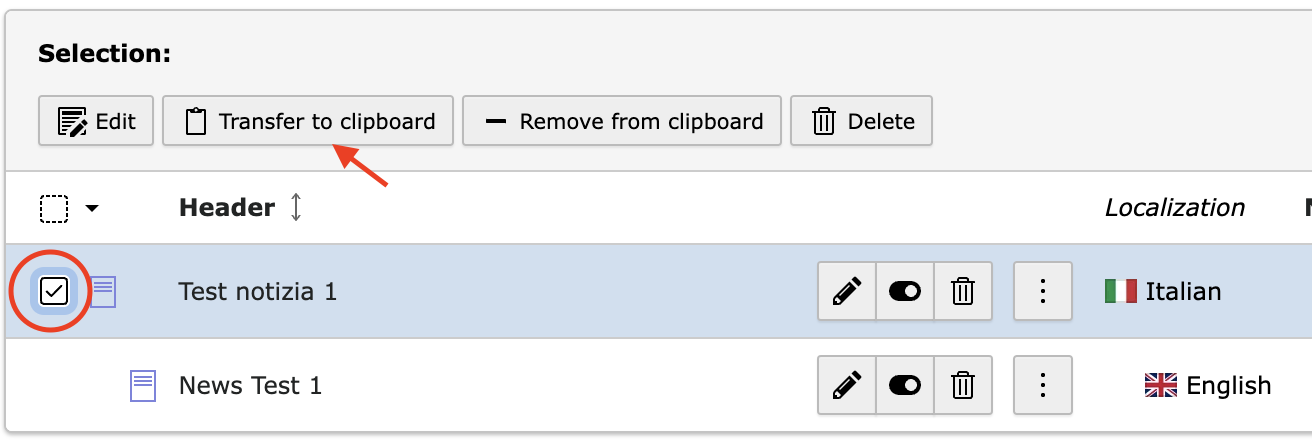
1) List view > Go to “News” folder; enable the clipboard and select “Clipboard #1 (multi-selection mode)” – see Cattura1.png
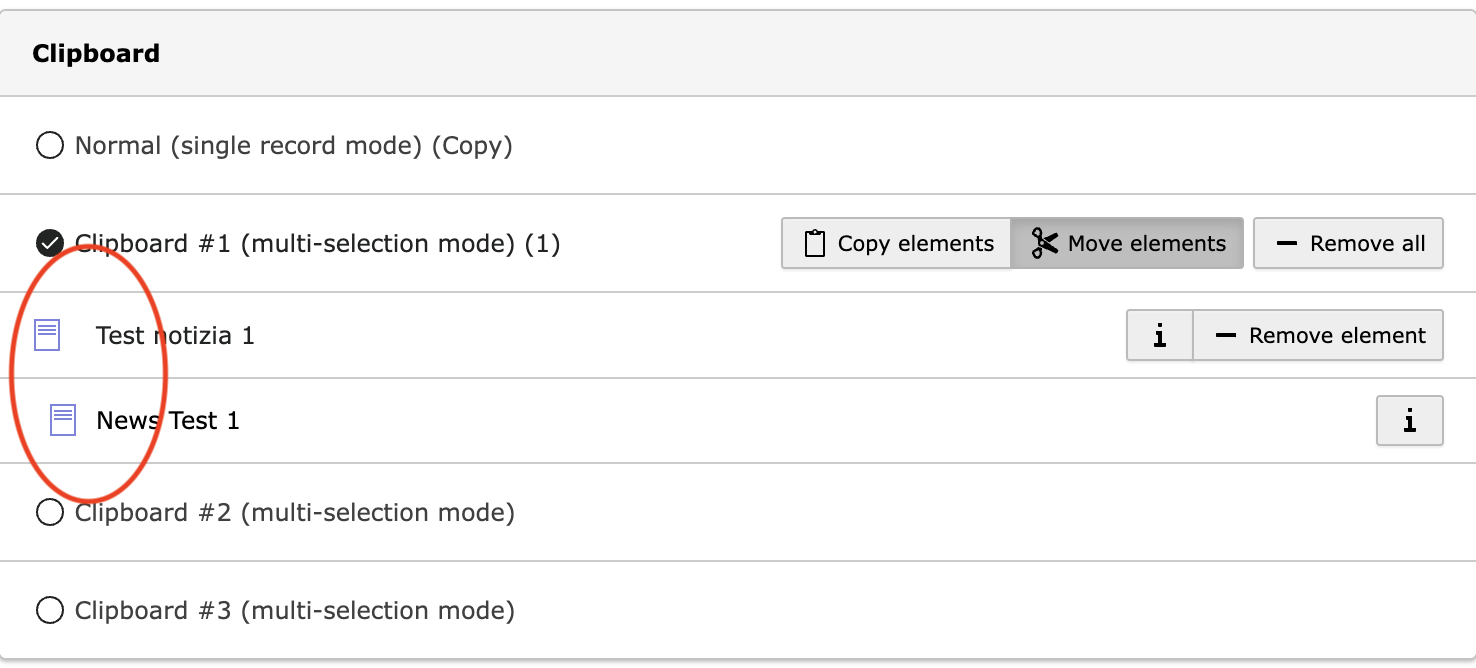
2) Select the news item, click “Transfert to clipboard”:3) Now the news item is in the clipboard and no duplication is present :
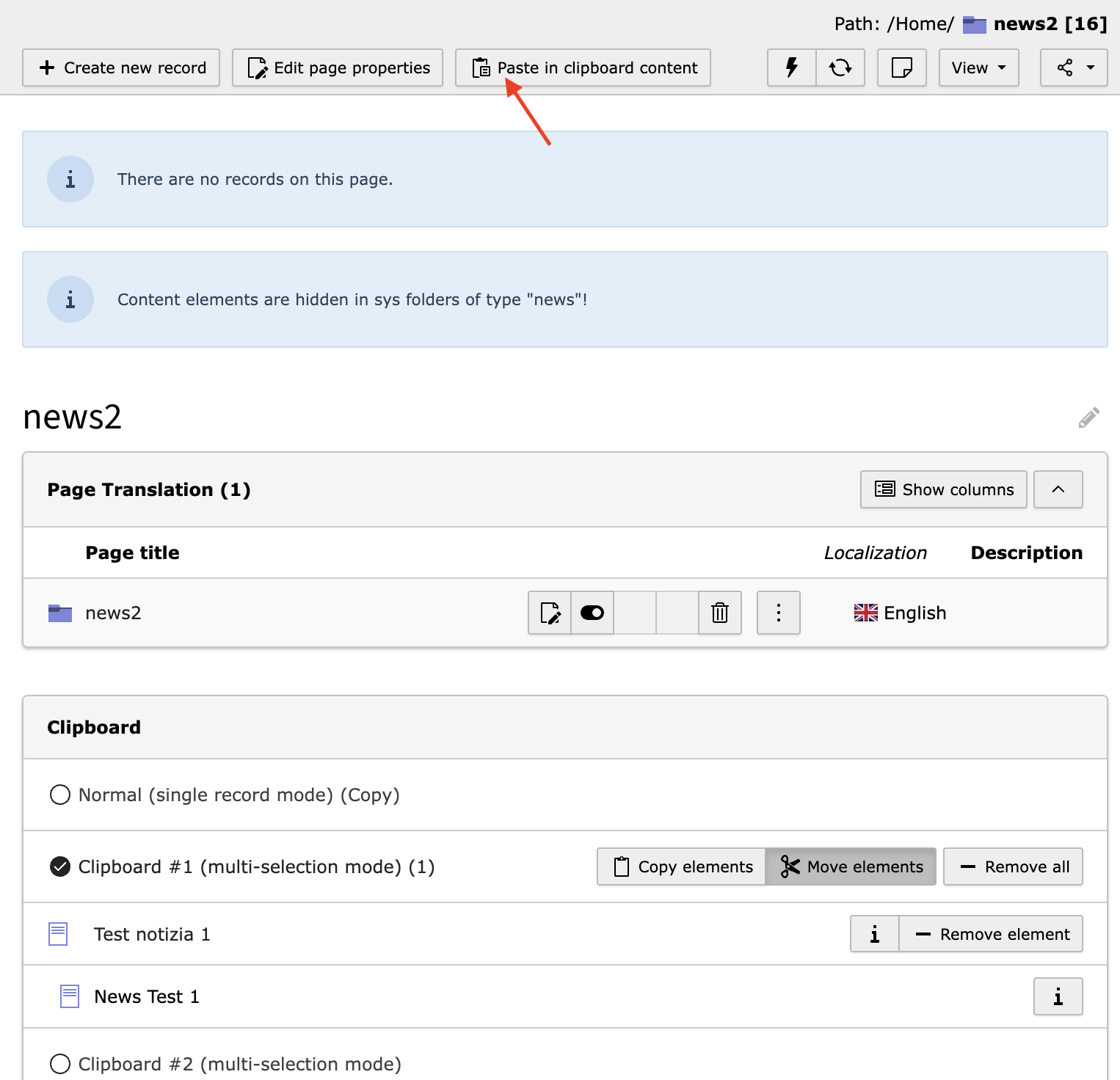
4) Go to “News2” sysfolder > List view > Click on “Paste in clipboard content” and press “OK” on the modal
“Move all elements (1) from the clipboard into “news2”?”Result
The news item and its translation are copied in “News2” folder, and no duplication is present:
Is this test sufficient? Am I missing something or a different test is necessary?
-
Riccardo De Contardi changed status
NewNeeds Feedback <span data-processor="relativetime" data-value="2024-06-30T19:55:20+00:00" > 06/30/24, 19:55 </span> -
Benni Mack commented and changed status
Needs FeedbackClosed <span data-processor="relativetime" data-value="2026-11-09T17:09:15+00:00" > 11/09/26, 17:09 </span>Closing the issue due to lack of feedback after 2 years.
-
Benni Mack commented and changed status
ClosedNew <span data-processor="relativetime" data-value="2026-11-09T17:14:38+00:00" > 11/09/26, 17:14 </span>I can still reproduce this on main (v15). The test in the last comment only put the default language record on the clipboard; the problem appears when the default record and its translation are both selected in multi-selection mode.
Steps
- List module, enable “Clipboard #1 (multi-selection mode)”
- Select a default language record and its translation, transfer them to the clipboard
- Paste into another (translated) page or folder
Result
- The clipboard shows the translation twice: once as a localization of the default record, once as its own entry (
Clipboard::getContentFromTab()). - Pasting creates the translation twice. The clipboard sends one copy command per element, in reverse order, so the translation is usually copied first, on its own, and keeps pointing to the original default record. The copy of the default record then copies all its translations again (
DataHandler::copyL10nOverlayRecords()).isRecordCopied()doesn’t prevent this across separate commands. I confirmed this with a functional test: copying a default record and its translation in one command map results in two or more translated copies, whatever the order of the commands.
Expected: one copy of the default record with exactly one copy of each translation.
A possible fix is to skip clipboard elements whose translation parent is also on the clipboard, in
setPasteCmd()and in the clipboard rendering, or to handle this inDataHandler.Setting the status back to “New”.


This problem still occurs in 9.5.8