#99424Make always accessible in the the page module's screen the toggles for hidden and unused contents visibility
Rachel Foucard 12/23/22, 16:33 updated 11/18/26, 21:58

Description
Hello,
We want the editors stop hidding useless contents instead of deleting them, and cluttering their own working area.
This improvement is splitted in smaller, and if possible, independant patches.
link to the full video (publically accessible): https://drive.google.com/file/d/1cxHaU7JHPiDE1_4hFsfDiM1m2YxfHoLz/view?usp=share_link
This tasks relates to the time 1.07min of the video
It may not be clear enough in the video, but the idea is basically to have the checkboxes in a bottom fixed bar in the screen.
Rachel
Reviews 0
No change resolves or names this issue in its commit message, and no comment links one.
Related issues 2


Files 5



History 9
-
Annett Jähnichen changed subject
Make always accessible in the the page module's screen the toggles for hidden and unused contents visibiltyMake always accessible in the the page module's screen the toggles for hidden and unused contents visibility <span data-processor="relativetime" data-value="2023-01-10T12:48:45+00:00" > 01/10/23, 12:48 </span> -
Annett Jähnichen changed attached Bildschirmfoto 2023-01-10 um 13.49.31.png <span data-processor="relativetime" data-value="2023-01-10T12:51:20+00:00" > 01/10/23, 12:51 </span>
-
Ayke Halder commented and changed attached typo3-page-module-scrollbars.gif <span data-processor="relativetime" data-value="2024-04-18T14:51:01+00:00" > 04/18/24, 14:51 </span>
-
Ayke Halder changed Related to #103586 <span data-processor="relativetime" data-value="2024-04-18T14:53:31+00:00" > 04/18/24, 14:53 </span>
-
Riccardo De Contardi commented and changed attached Cattura-pv.PNG attached Cattura-lv.PNG attached Cattura-fl.PNG <span data-processor="relativetime" data-value="2024-07-15T10:12:27+00:00" > 07/15/24, 10:12 </span>
How about putting a “view” dropdown in the header bar, on the right side? I mean here:
It would be coherent with what happens on both list view
Cattura-lv.pngAnd filelist:
Cattura-fl.pngIt would be a waste to use a dropdown with just one item inside, but maybe something else could be added in the future.
-
Benni Mack changed Sprint Focus On Location Sprint <span data-processor="relativetime" data-value="2025-08-07T12:00:39+00:00" > 08/07/25, 12:00 </span>
-
Georg Ringer changed Sprint Focus
On Location Sprint<span data-processor="relativetime" data-value="2026-08-06T15:49:28+00:00" > 08/06/26, 15:49 </span> -
Benni Mack commented and changed status
NewClosed <span data-processor="relativetime" data-value="2026-11-18T21:58:21+00:00" > 11/18/26, 21:58 </span>Fixed with #105040.
-
Benni Mack changed Related to #105040 <span data-processor="relativetime" data-value="2026-11-18T21:58:28+00:00" > 11/18/26, 21:58 </span>


See https://forge.typo3.org/issues/97152#note-12
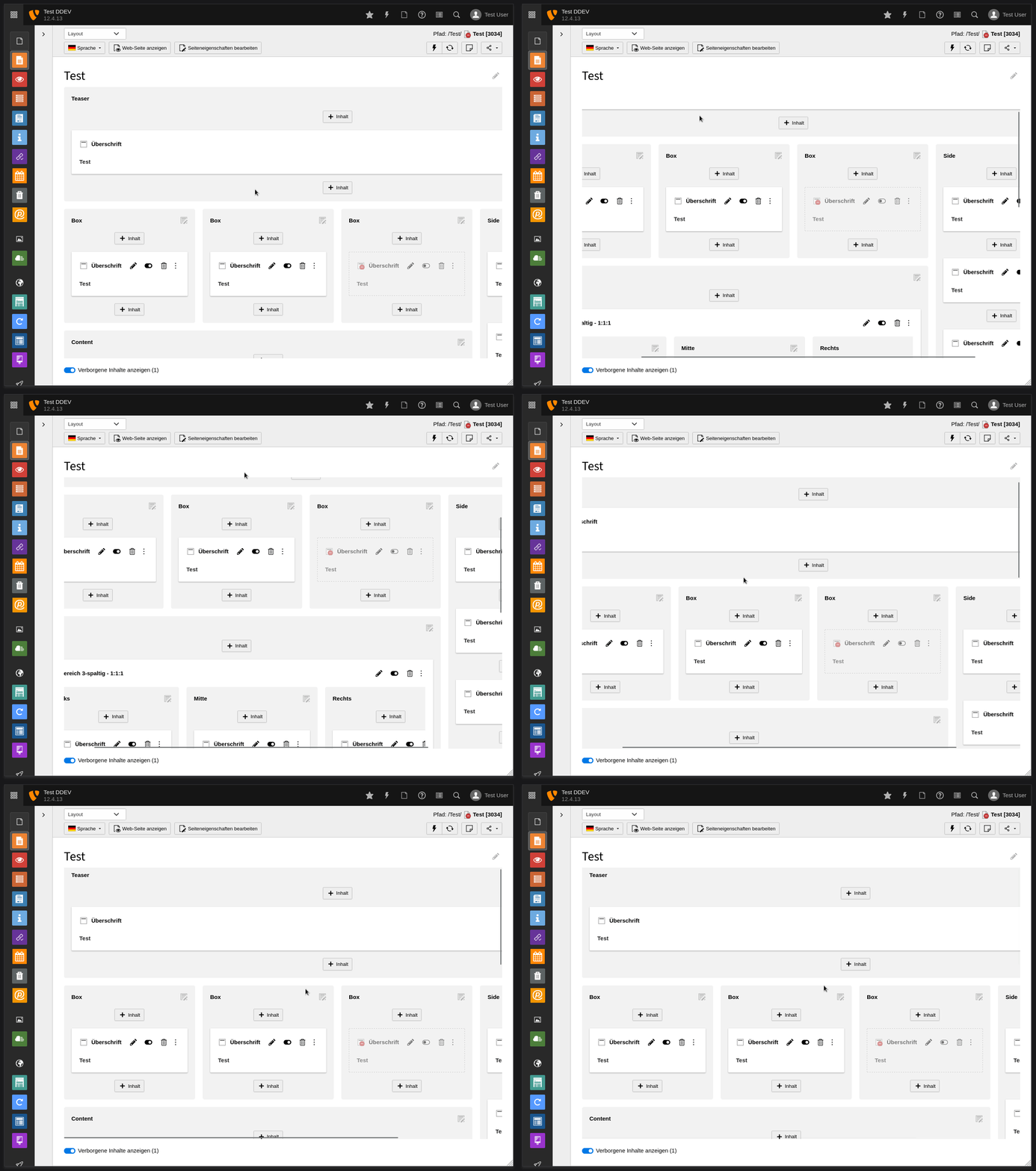
POC: hidden-ce-toggle and scrollbars always visible inside viewport
typo3-page-module-scrollbars.gif